
For device teams
Find the record quickly and make the assignment, return, status, or note update in context.
FlowStack Devices
FlowStack Devices helps school teams find students and devices, manage assignments and loaners, follow repair status, add notes, and preserve the operational history attached to each serial number.
See the workspace
The public demo uses fictional students and devices. Switch between staff and student views, search with autocomplete, update the browser-only record, and reset at any time.
Open the synthetic demo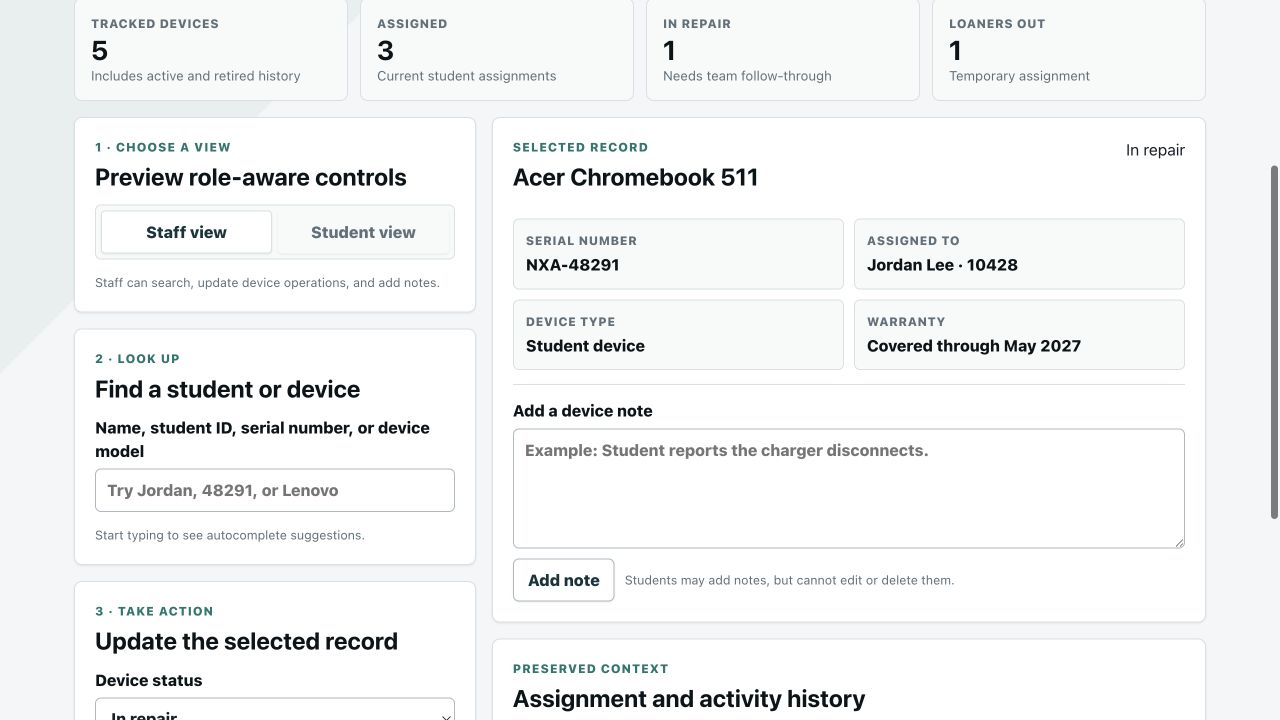
Best fit
Use it when the team needs a focused source of truth for who has which device, what changed, what is in repair, and which loaners are still out.
Find the record quickly and make the assignment, return, status, or note update in context.
Use read-focused student and device lookup, review history, and add a note without edit or delete controls.
Try the condensed interactive demo before opening a workspace or entering payment information.
How it works
Removing a device hides it from active lookup while preserving its history; adding the serial number back restores the existing record instead of creating disconnected history.
Search by student name or ID, device serial number, or device name with autocomplete.
Assign, return, change status, issue a loaner, or add a device note with role-aware permissions.
See assignment and activity history without losing context when an active device record is removed.
Questions
It tracks serialized devices, students and staff assignees, assignments, returns, loaners, repair status, warranty context, notes, and preserved activity history.
Students can use autocomplete lookup for students and devices, review read-focused records and history, and add a device note. They cannot edit or delete notes, status, assignments, or records.
No. The device is removed from active search and use, while history remains preserved. Adding the same serial number back restores the prior record and context.
No. Teacher Pro is a workspace subscription with clear limits: 500 active students and 750 active devices. One Enrollment Growth Pack adds 250 students and 250 active devices; one Extra Device Pack adds 250 active devices. Larger needs use a personalized School / Department quote.
Next step
Use the demo to confirm fit, compare current pricing, or contact FlowStack about enrollment, migration, and school purchasing.
Request a personalized School / Department quote when your needs exceed the included limits and available self-service add-ons.