
For classrooms
Run a scan workflow without turning movement tracking into paperwork.
FlowStack Scanning
FlowStack Scanning gives schools a simple scan-in and scan-out workflow for student movement, active status, and completed scan history.
See the workspace
The public demo uses synthetic students and scan IDs to show active status, scan-in, scan-out, and history without exposing real student movement data.
Open the synthetic demo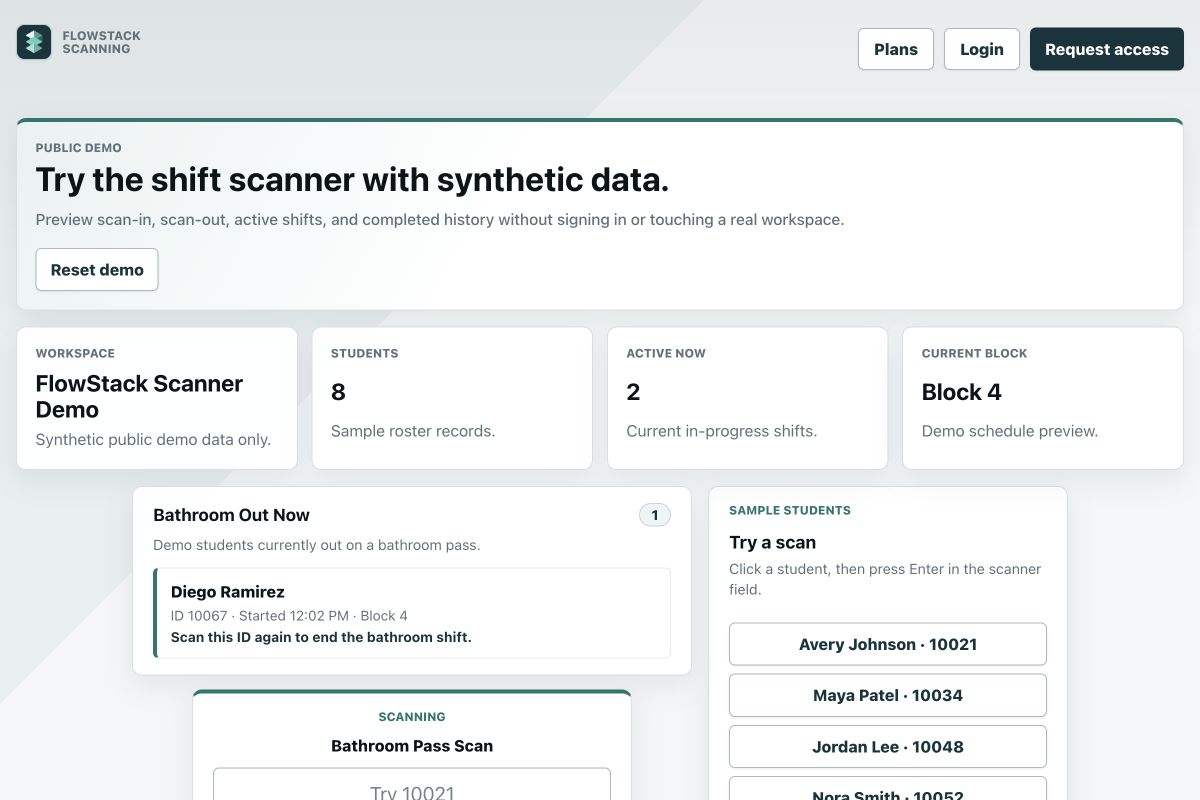
Best fit
Use it when you need visibility into active bathroom passes, work shifts, completed records, and student movement timing.
Run a scan workflow without turning movement tracking into paperwork.
Check active and completed scan records in one focused dashboard.
Use the public demo with synthetic students and scan IDs before opening a workspace.
How it works
Use the same lightweight pattern for a bathroom pass or a supervised student work shift.
Select the record type and scan a student ID to start the pass or shift.
Staff can review who is currently out or working and when the record started.
Close the record and filter completed history by student, block, time, and type.
Questions
It records student scan-in and scan-out activity for bathroom passes, work shifts, active status, and completed history.
It is built for schools that want a focused student movement or shift record without adding a larger attendance platform.
No. The public demo uses synthetic students and scan IDs so schools can review the workflow without exposing real records.
Schools should confirm who may access movement records, how long records should be retained, and how the workflow fits local policy. Real workspaces use signed-in, role-aware access; contact FlowStack with privacy or procurement questions before launch.
Next step
Use the synthetic demo first, review current plans, and confirm your school’s access, retention, and movement-record policies before launch.
New workspaces choose one complete package: Starter is $18/month or $144/year for 150 rostered students, 5 sections, 1 admin and 2 scan-only staff accounts. Small, Medium and Large annual packages are $300, $600 and $900 with clearly stated higher limits. Existing workspace access and exemptions stay unchanged; assisted migration, live training and hands-on support are quoted separately. Compare all package limits.