
For repair teams
Connect parts and repair reporting without relying on spreadsheets alone.
FlowStack Inventory
FlowStack Inventory helps school teams track Chromebook parts, device models, repair reports, history, and stock levels in a focused operational workspace.
See the workspace
The public demo shows synthetic device models, parts, shared stock pools, low-stock signals, and history. Demo changes stay in the browser and never reach a real workspace.
Open the synthetic demo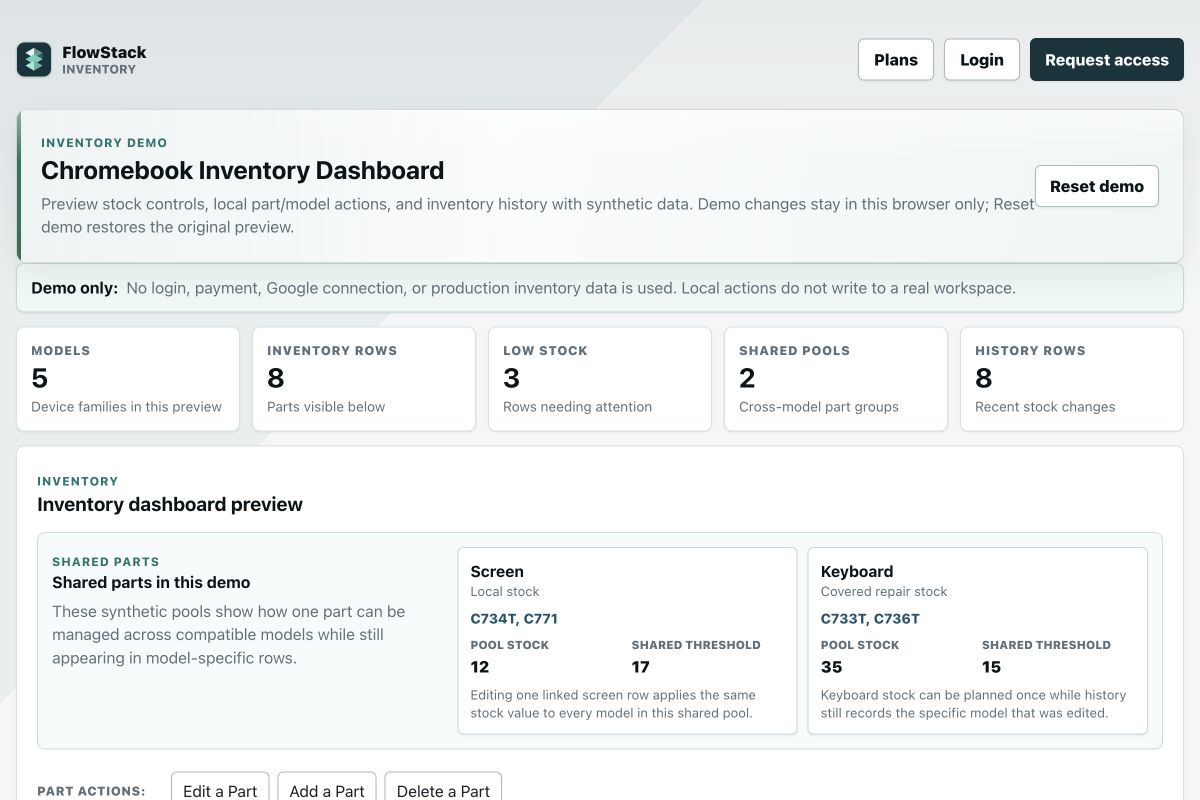
Best fit
Use it when your team needs a lightweight way to keep parts, models, stock adjustments, and repair history together.
Connect parts and repair reporting without relying on spreadsheets alone.
Spot low stock and parts-needed signals before repairs stall.
Try synthetic inventory and history data before opening a real workspace.
How it works
FlowStack Inventory is designed first for repair-program parts and stock—not as a replacement for a districtwide asset-management platform.
Group parts by device model or shared part and record current counts and thresholds.
Record stock changes and connect repair reports to the operational inventory.
Review history, low-stock signals, and parts-needed views before repair work stalls.
Questions
It tracks Chromebook parts, device models, stock levels, inventory changes, repair reports, and repair-related history.
It is built around school Chromebook and repair workflows. It can organize related parts and accessories, but schools needing full serialized device, cart, purchasing, or depreciation management should confirm fit before replacing an asset-management system.
Yes. The public demo includes synthetic stock, model, and repair-history data so schools can evaluate the workspace safely.
New Starter workspaces include 200 stock entries. Stock quantities do not multiply entry use; a shared stock pool counts once. Separate model/location stock entries count separately.
Next step
New-workspace Starter is $18/month or $144/year: 200 stock entries, 10 models, 3 staff/admin logins and 25 student helpers. Annual Small ($300), Medium ($600) and Large ($900) packages add finite capacity in one workspace. Existing workspaces, subscriptions and ETHS exemptions stay unchanged. Assisted migration, live training and hands-on support are separately quoted; review email/storage allowances before onboarding. See Plans for each package's exact limits.